AI agents, made simple
Bob drafts.
You decide.
Blochworks is a free* app for Mac and Windows. Bob, your AI agent, sorts your inbox, drafts replies and edits your documents, presentations and spreadsheets. By default, his messages wait for your approval.
*The Community edition is free and open source. Local AI on a suitable Mac costs nothing. Other AI services charge their own fees.
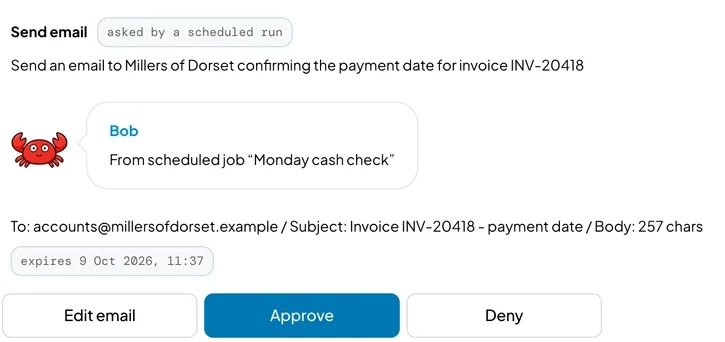

Take control of your time, your work, your data and your AI costs.
Your time
Inbox
Connect Gmail or Outlook. Bob sorts the inbox, drafts replies and follows up messages still waiting for an answer. In Gmail, he saves replies as drafts for you to edit.
Calendar
Connect Google Calendar or your Outlook calendar so Bob can check when you're free, book meetings and send invitations.
Scheduled jobs
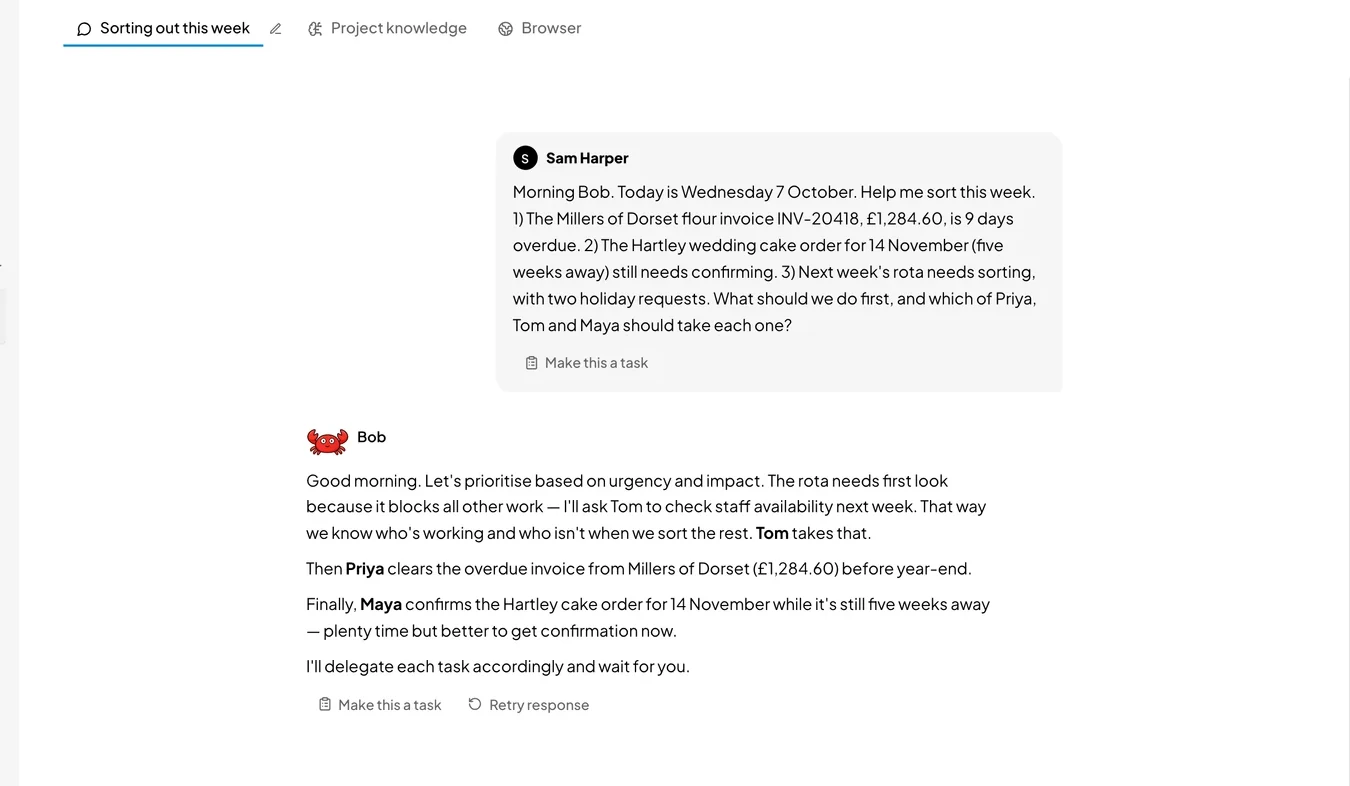
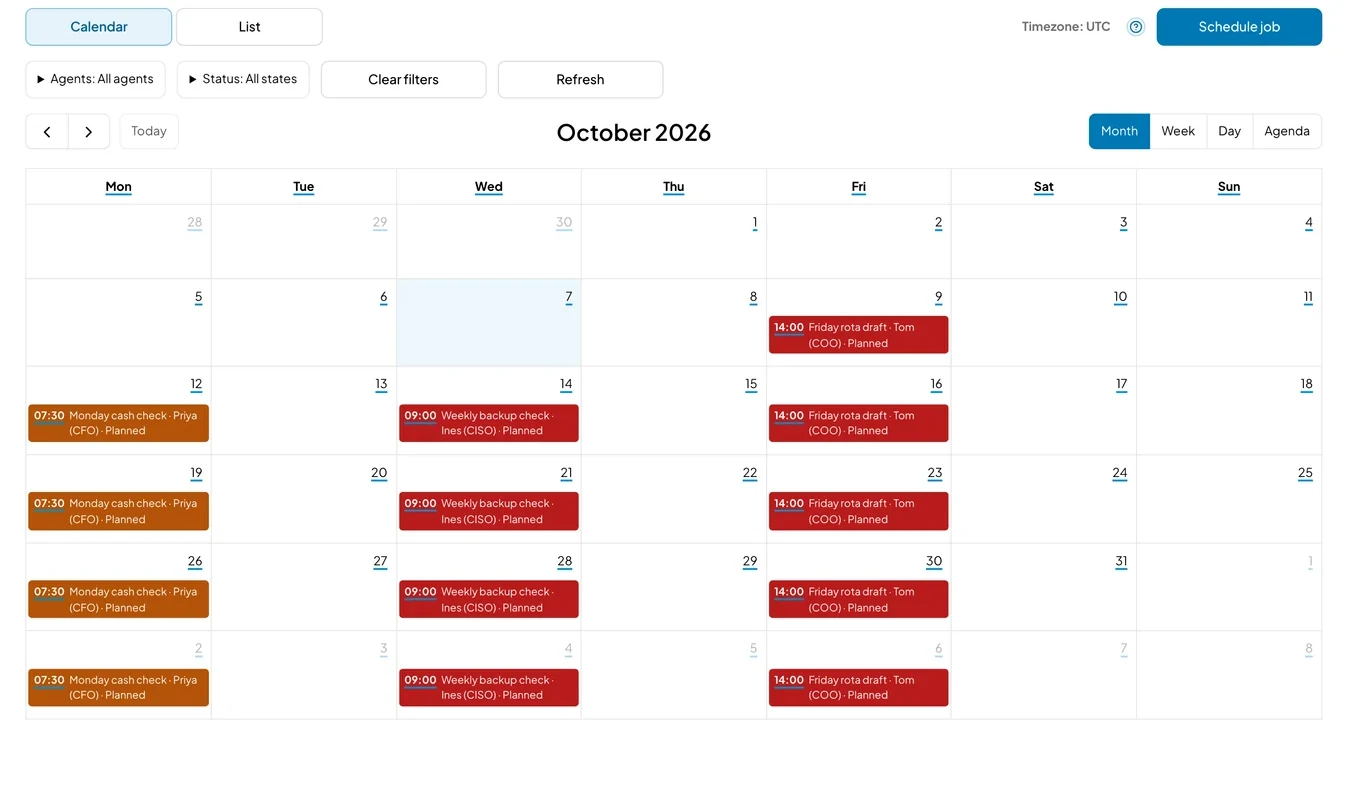
Set a job to run every week, such as a Monday cash check or a Friday rota review.
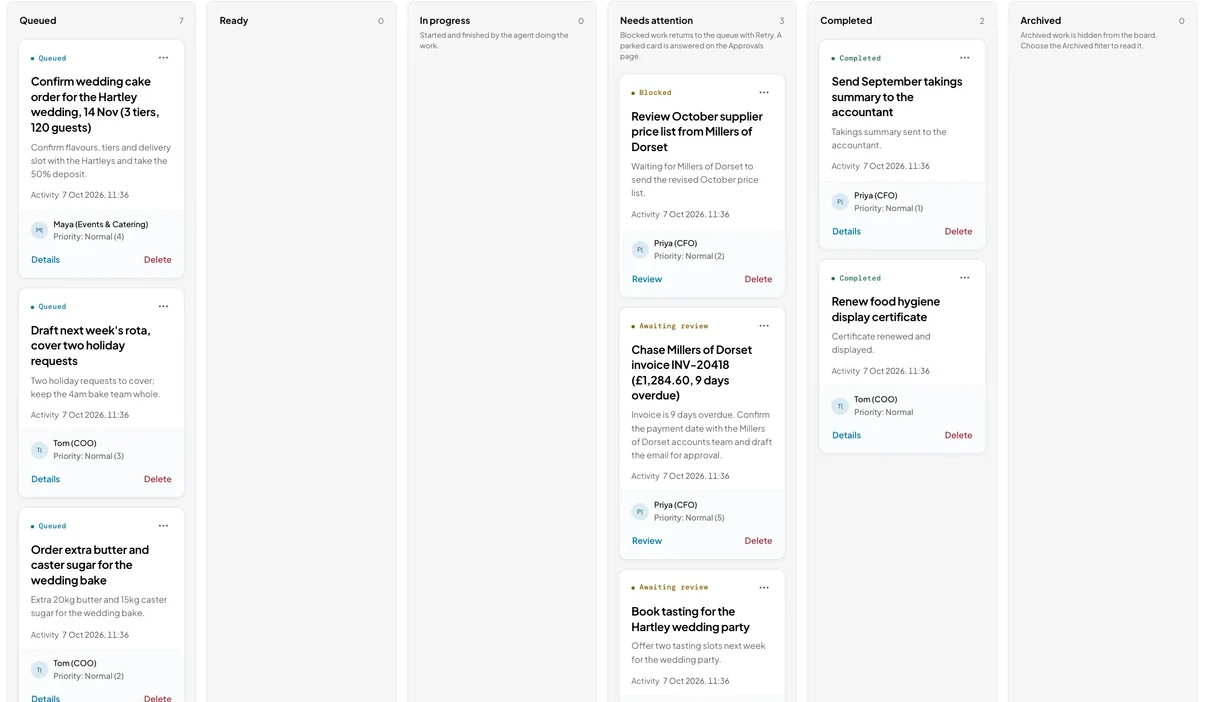
Work board
Each job sits on a card with comments and its run history. You can see which jobs are finished and which need your decision.
Your work
First drafts
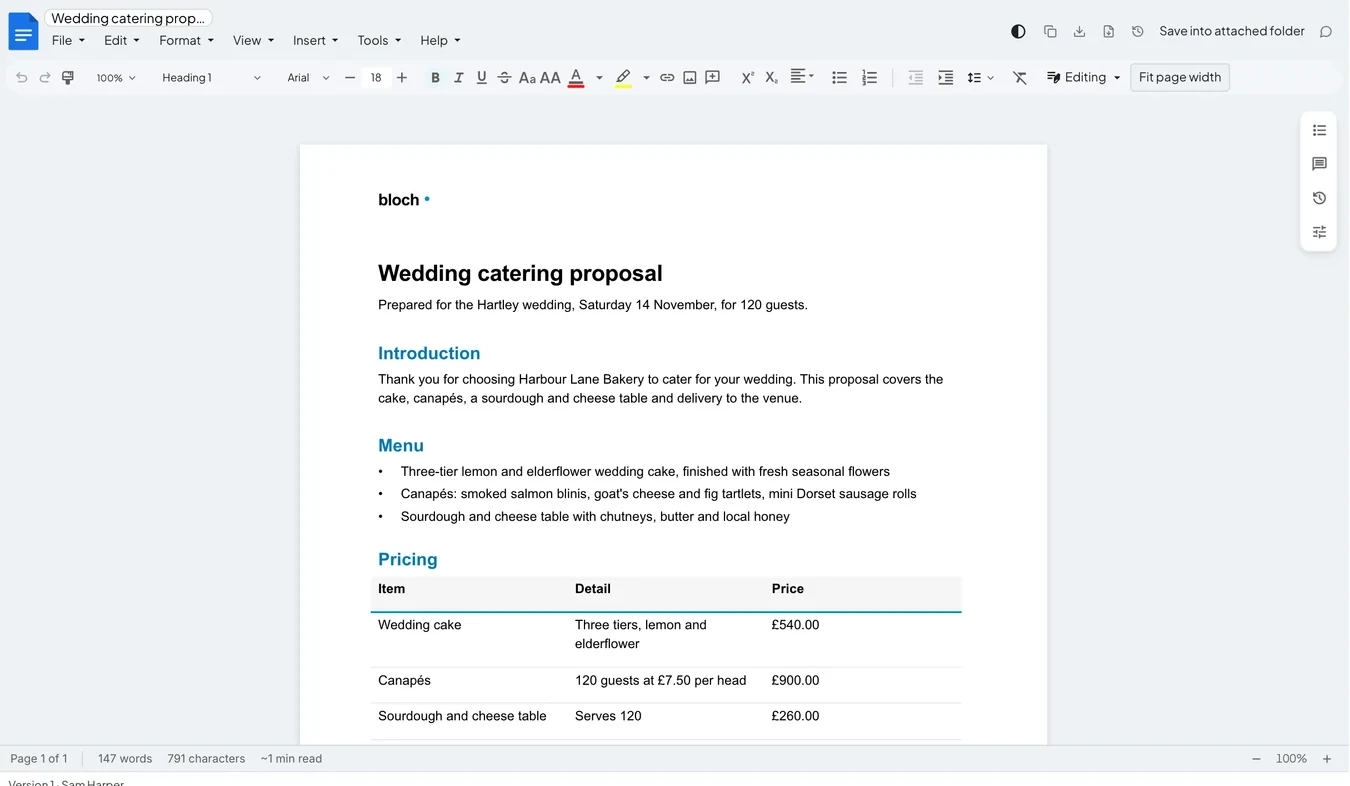
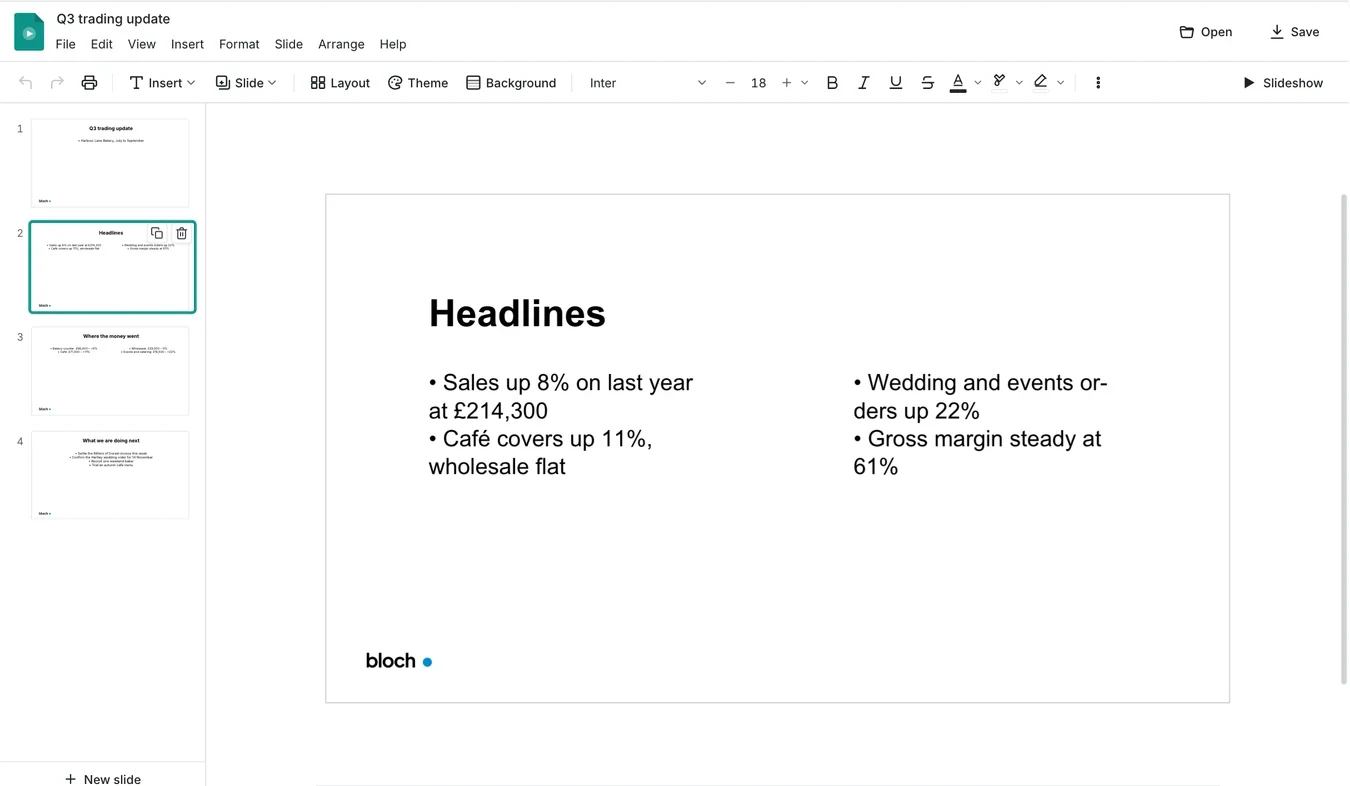
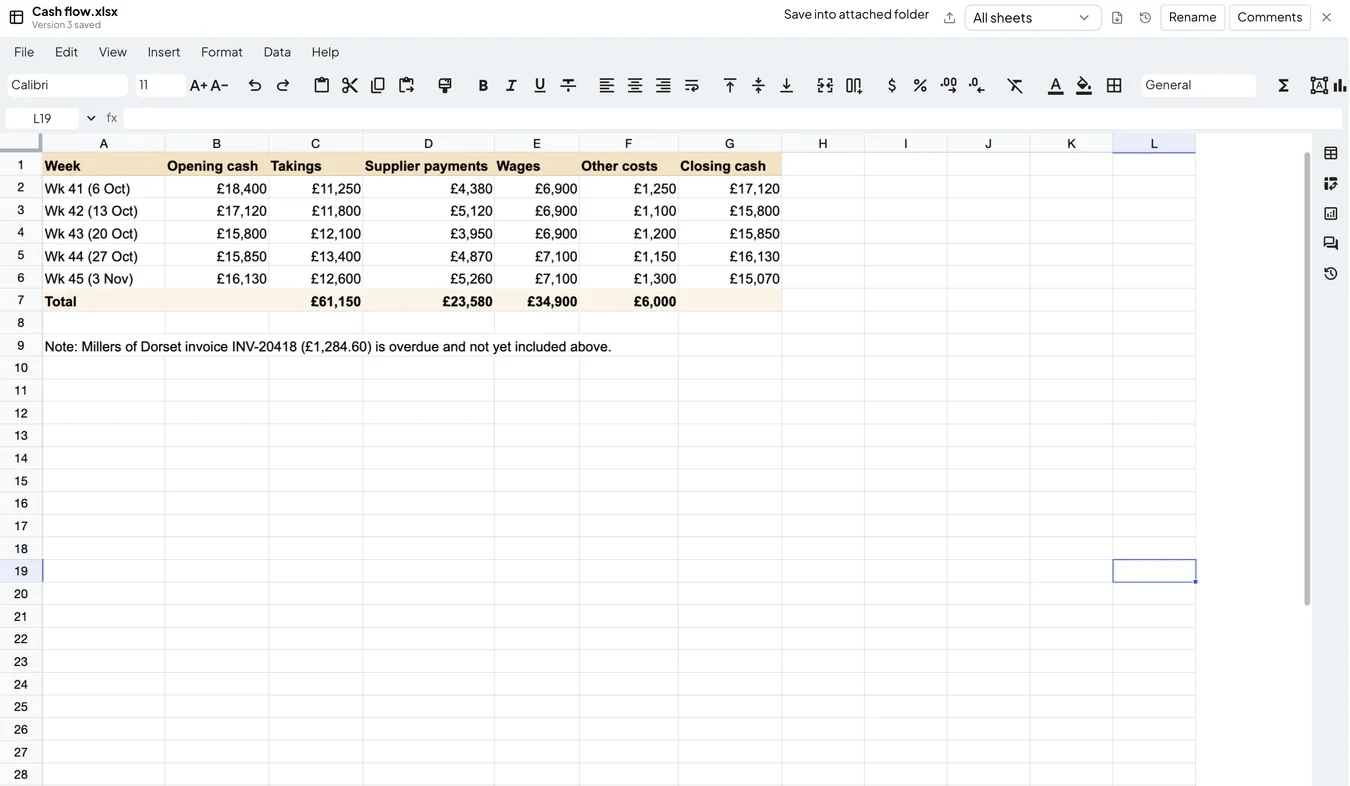
Ask Bob to draft an email, a proposal, a presentation for the team meeting or a cash-flow spreadsheet. By default, he sends an email only after you approve it. Preview every change to a file before it is applied, and undo it if needed.
Files are saved as .docx, .pptx and .xlsx, so they open in the office software you already use.
AI agents
Give your AI agents the routine work, with instructions for how you want it done, and keep the decisions that need you. Bob plans your week and passes jobs to the other agents. Start from a ready-made role or write your own.
Bob
Drafts your work, helps plan your week and passes jobs to your agents.
Bookkeeping
Checks the figures and drafts reminders for unpaid invoices.
Admin
Drafts booking replies, prepares rotas and follows up unfinished jobs.
Marketing
Drafts posts and newsletters from the notes you provide.
Your own agent
Give it a job and tell it how you want it handled.
Your data
Blochworks runs on your computer. With the Community edition, Bloch has no server in between and never sees your emails or documents. You choose which AI service, if any, sees your work.
On your Mac
Local AI keeps your emails and documents on your Mac and costs nothing. Needs an Apple Silicon Mac with 16 GB of memory or more.
Your own tools
Connect Ollama or LM Studio to run a model you choose on your own computer, Mac or Windows.
EU
Choose an EU service such as Mistral to have your AI work handled in the EU.
UK
Connect a UK-hosted service with an OpenAI-compatible connection to keep AI processing in the UK.
US
Use OpenAI, Anthropic (Claude), Google (Gemini) or another US provider, including a subscription you already pay for.
Our view
Why we're committed to local AI
When a few large companies control AI, everyone else has to accept their prices and their rules. We are committed to AI you can run on your own computer.
Blochworks runs AI on your computer first. Your emails and documents stay on your machine, and there is no fee for the AI itself. Today the built-in model needs an Apple Silicon Mac and won't match the largest cloud models on the hardest tasks, so you can connect a cloud service for those jobs.
We expect models small enough for a laptop to keep improving, and we'll move more of the work onto them as they become good enough for each job. When we do, we'll say which jobs and publish how we tested them.
Your AI costs
The Community edition has no licence fee. Local AI on a suitable Mac costs nothing. If you connect another AI service, it charges you under its own terms.
Community edition
For your own work on Mac and Windows, free for anyone to use. Use built-in local AI or connect an AI account you already have.
- Ready-made roles plus your own agents
- Conversations with one or several agents
- Work board and scheduled jobs
- Built-in local AI on a suitable Apple Silicon Mac, or connected AI on Mac and Windows
- Gmail and Outlook
- Create and edit documents, presentations and spreadsheets
Enterprise
For organisations that want to manage agents centrally. Enterprise comes with Bloch One, our managed AI service, which adds set-up, training and support.
- Centrally managed agents
- Central push of agents to staff computers
- Central logging for audit
- Runs on your own Azure, Google Cloud or AWS account, or on ours
Our view
Why it's free and open source
We think AI should be free for anyone to use, and that you should stay in charge of it.
Blochworks runs on your computer, you choose which AI it uses, and the code is public, so you, or anyone you trust, can check that it does what this page says. If we stopped working on it, the code would stay public and anyone could carry it on.
Giving it away means small businesses, charities and individuals can use AI agents without a licence fee. It also lets you test our work before you buy anything from us: organisations that want agents managed centrally, with set-up, training and support, pay for Enterprise through Bloch One.
Open source also makes Blochworks a shared project. Anyone can report a problem, suggest a change or add to the code on GitHub. Under the AGPL‑3.0 licence, anyone who changes Blochworks and passes it on, or runs it for other people over a network, has to publish their changes under the same licence, so their improvements are open to everyone.